Win10怎么修复explorer.exe?Win10修复explorer.exe的方法
近期有很多小伙伴咨询小编Win10怎么修复explorer.exe,接下来就让我们一起学习一下Win10修复explorer.exe的方法吧,希望可以帮助到大家。
Win10怎么修复explorer.exe?Win10修复explorer.exe的方法
1、按下“win+r”打开运行,输入“regedit”,如下图所示。

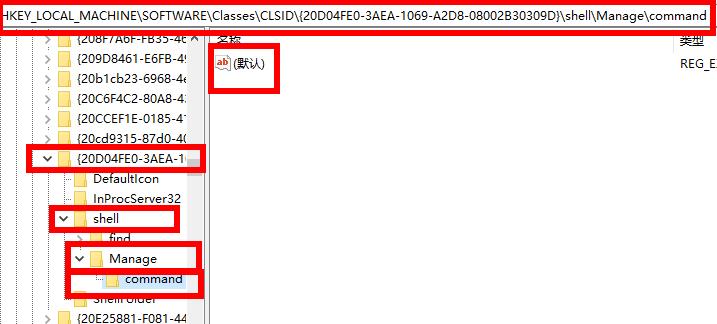
2、依次打开“HKEY_LOCAL_MACHINESOFTWAREClassesCLSID{20D04FE0-3AEA-1069-A2D8-08002B30309D}ShellManageCommand”,如下图所示。
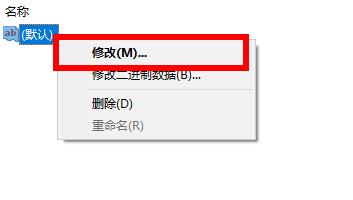
3、右击右侧的“默认”点击“修改”,如下图所示。
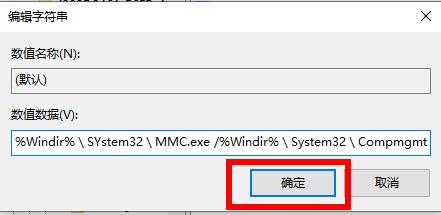
4、将数据数值修改为“%Windir%SYstem32MMC.exe /%Windir%System32Compmgmt.msc”即可,如下图所示。





 苏公网安备32032202000432